> For the complete documentation index, see [llms.txt](https://docs.midio.com/midio-docs/llms.txt). Markdown versions of documentation pages are available by appending `.md` to page URLs; this page is available as [Markdown](https://docs.midio.com/midio-docs/guides/error-handling.md).
# Error Handling
The Midio language provides powerful primitives for handling errors that may occur in your flows.
### Why errors exist
Errors occur when Midio encounters unexpected situations, such as missing data, invalid input, or failing external services. Instead of making assumptions, Midio raises an error, enabling you to determine the appropriate response. Error handling allows you to provide a fallback, explicitly manage the issue, or halt the process when continuation would be inappropriate.
## How errors work
Midio’s error system is based on a concept commonly referred to as *exceptions*. When an error occurs, Midio creates an error object containing information about what went wrong. This error is then *raised*.
Once raised, the error can be handled by one of the mechanisms described below. If it is not handled, execution will exit the current function and continue unwinding until the error is either handled or the top-level module is reached. If the error reaches the top level unhandled, execution stops and a notification is generated.
The error-handling mechanisms described below allow you to *catch* errors and continue execution.
## The \`Catch Error\` node
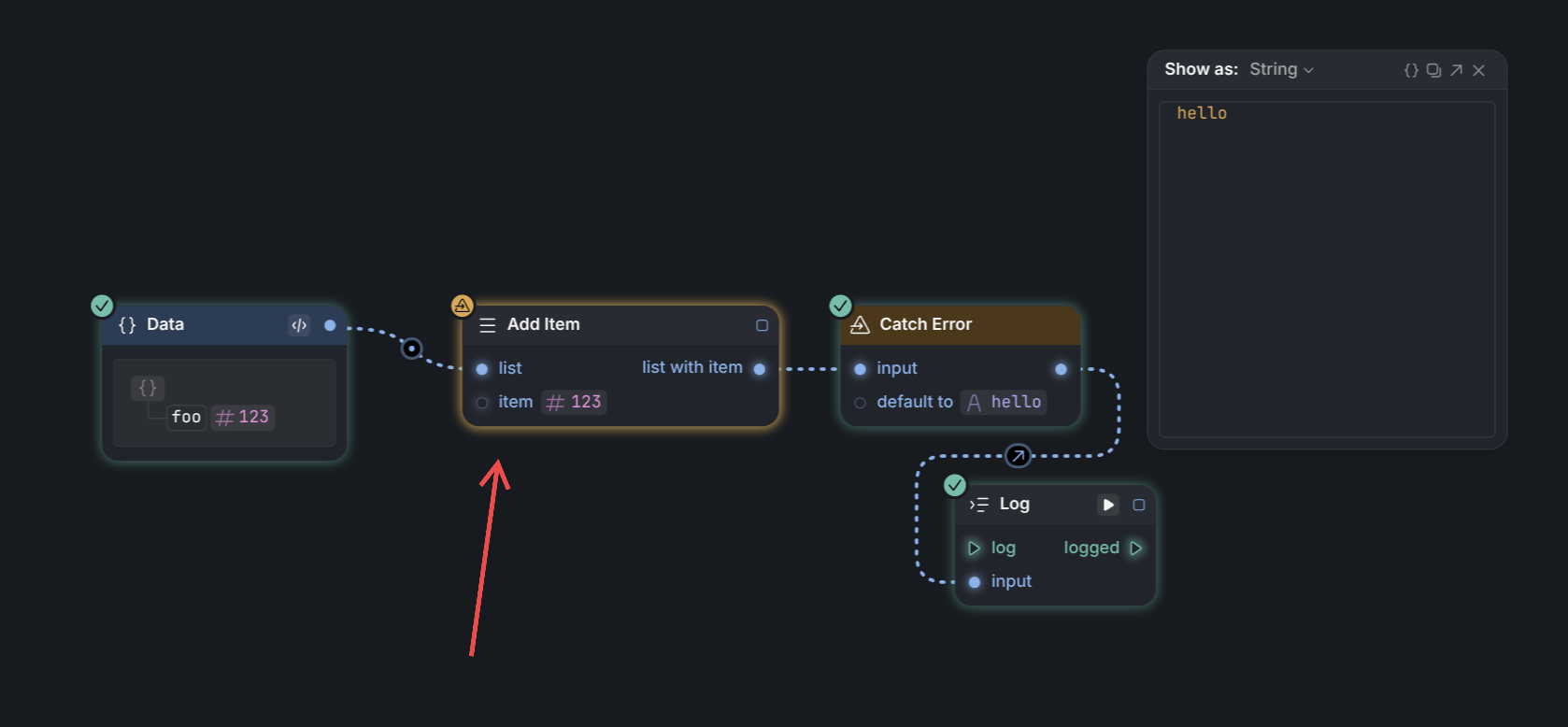
The `Catch Error` node is used to handle errors in parts of flows without any triggers. It allows you to provide a default value if any preceding node raises an error, ensuring that execution can continue.
In the example below, the `Add Item` node raises an error because the input to the `list` property is an object rather than a list. As a result, the output of the `Catch Error` node becomes `"hello"`.
## The \`Catch Unhandled Error\` node
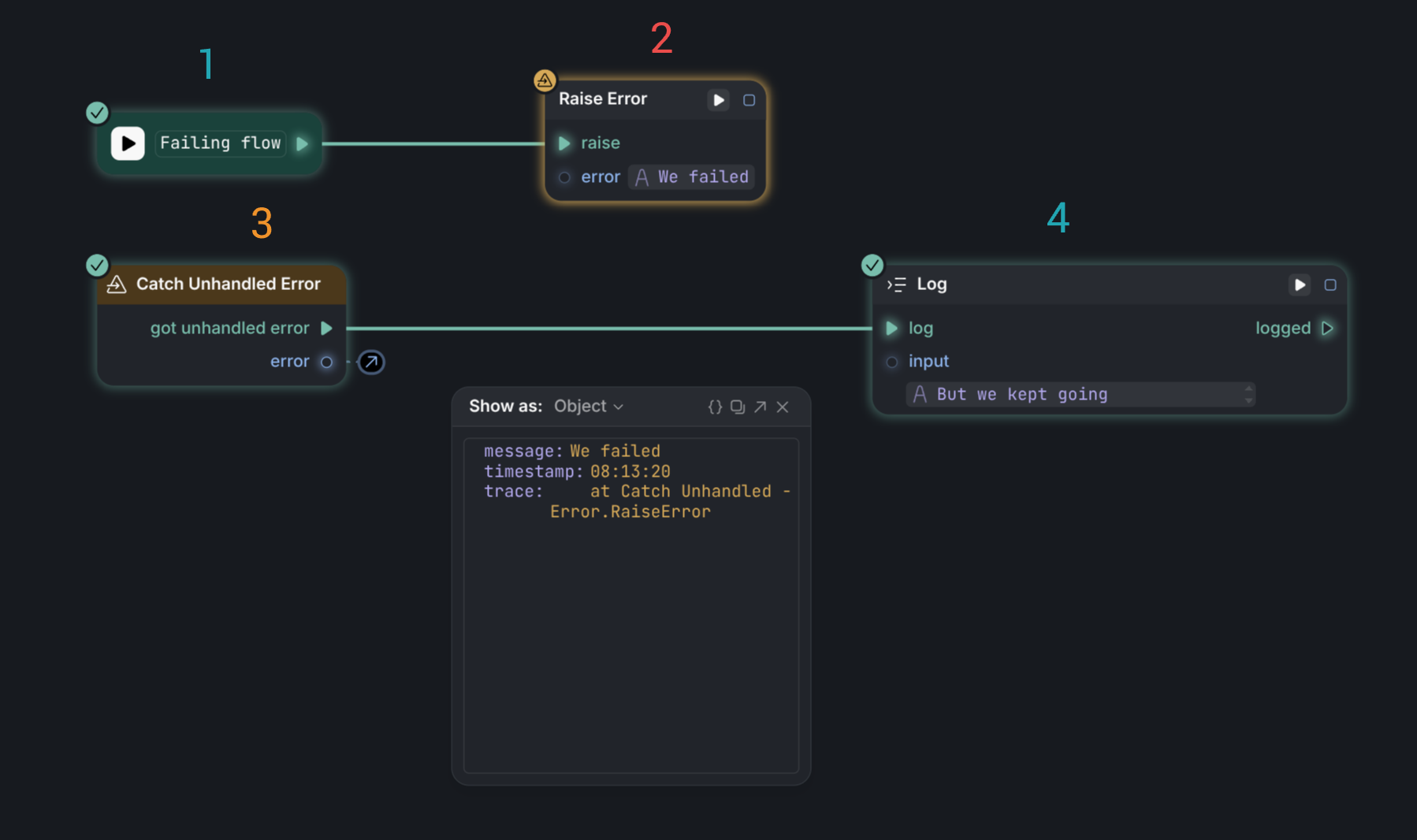
The `Catch Unhandled Error` node is used to catch any error that occurs within the current block. It allows you to handle errors in a single place and continue execution.
In the example below, when the **Failing flow** `Entrypoint` is triggered, the first operation raises an error. Because a `Catch Unhandled Error` node is present, execution jumps directly to that node. The connected `Log` node is then executed, and the raised error object can be inspected.
## Catch outputs
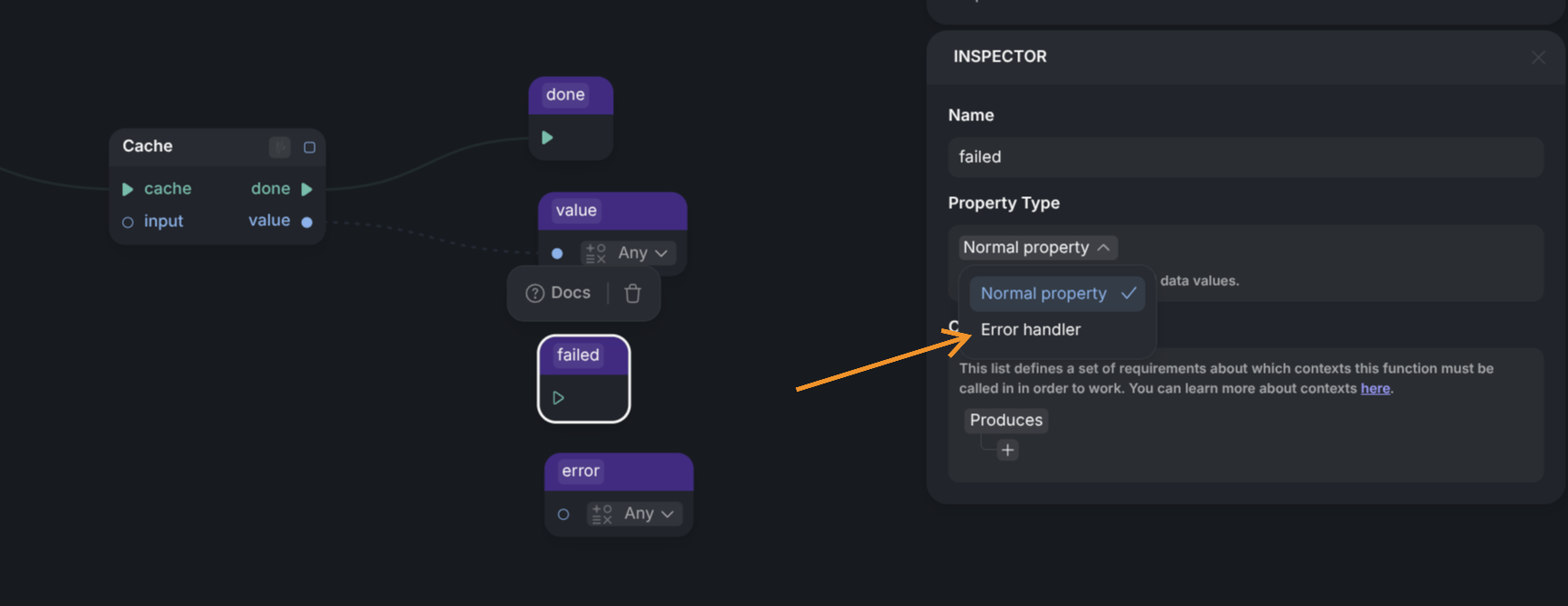
The final way to handle errors is to declare certain function outputs as *error outputs*. This is done by selecting an output node and setting its **Property Type** to **Error handler**.
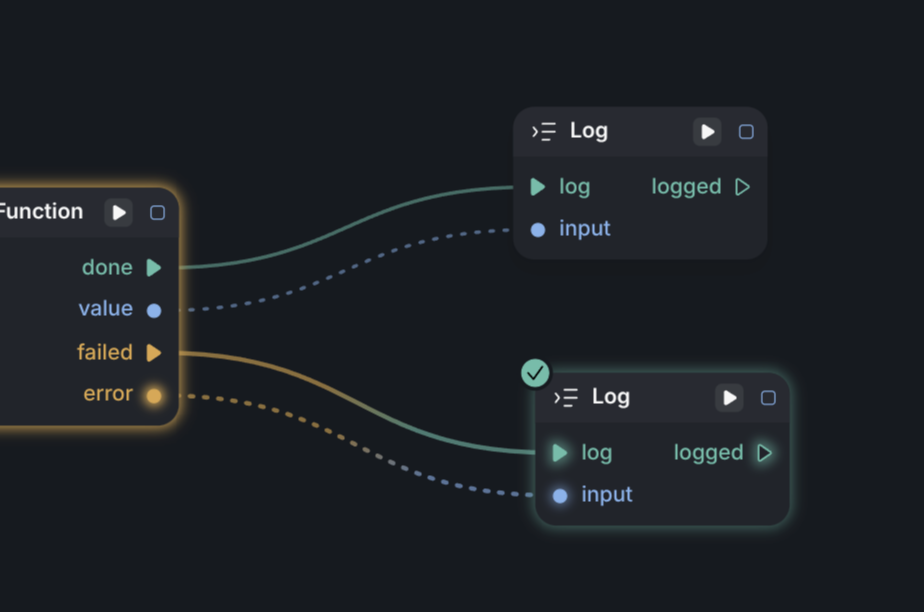
You may declare at most one trigger output and at most one data output as error handlers. If a data output is marked as an error handler, it will receive the error object that was raised.
When used, the node will appear as shown below. If the user connects the failed trigger to another node, execution will continue from that trigger whenever an error is raised inside the fallible function. If the failed trigger is not connected, the error will continue to propagate.