> For the complete documentation index, see [llms.txt](https://docs.midio.com/midio-docs/llms.txt). Markdown versions of documentation pages are available by appending `.md` to page URLs; this page is available as [Markdown](https://docs.midio.com/midio-docs/reference/the-midio-language/update.md).
# Update
Information about the Update node, which is used to make transformations to complex data structures.
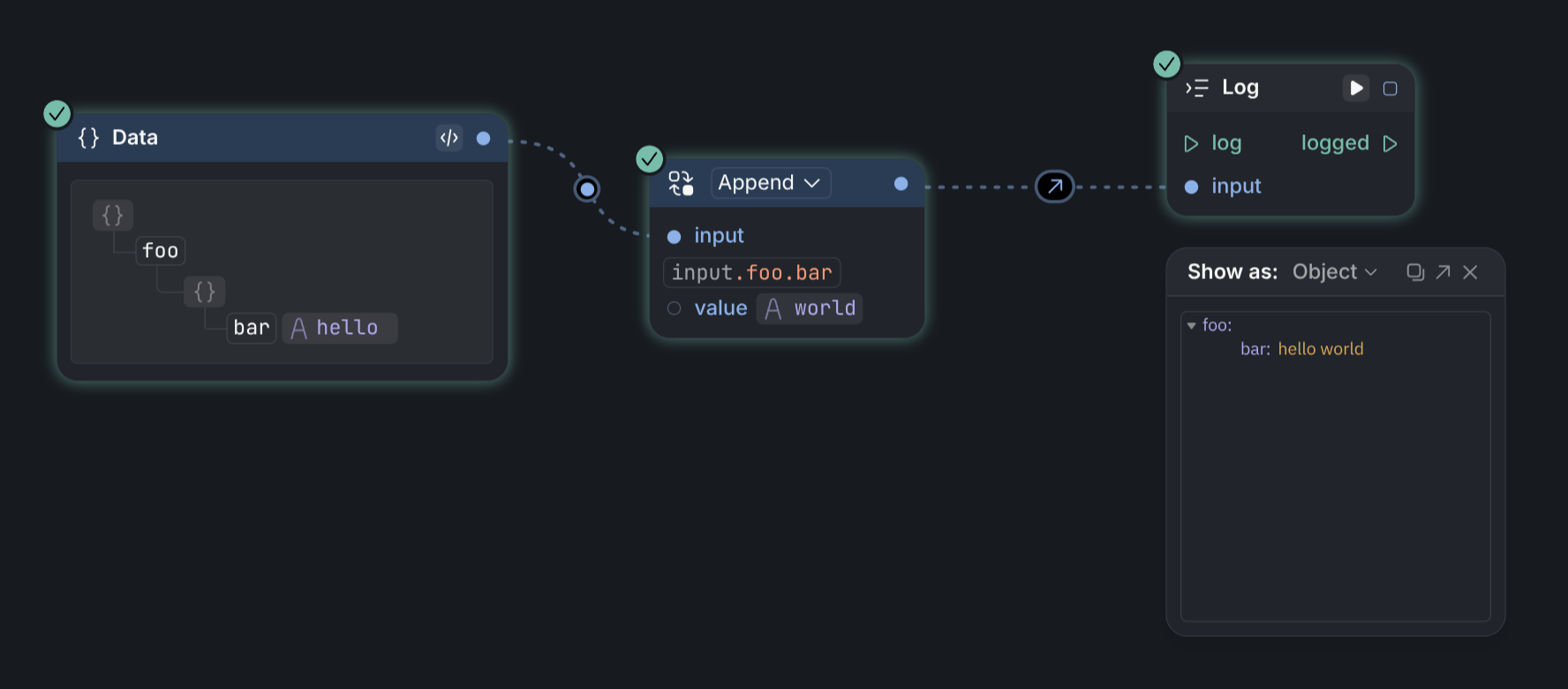
The `Update` node can be used to make changes to complex data in an easy way. In the example below, we append a string to the value of a nested object.
Update has three (+ 1) inputs:
1. `input` is the data you want to make changes to
2. the second input is a path expression that specifies a sub part of the object to change.
3. `value` is the new value we want to put at that position
4. You can also change between various update modes using the dropdown in the header
1. `Append` appends `value` to the original value (like in the example above). For strings and lists this means they get concatenated.
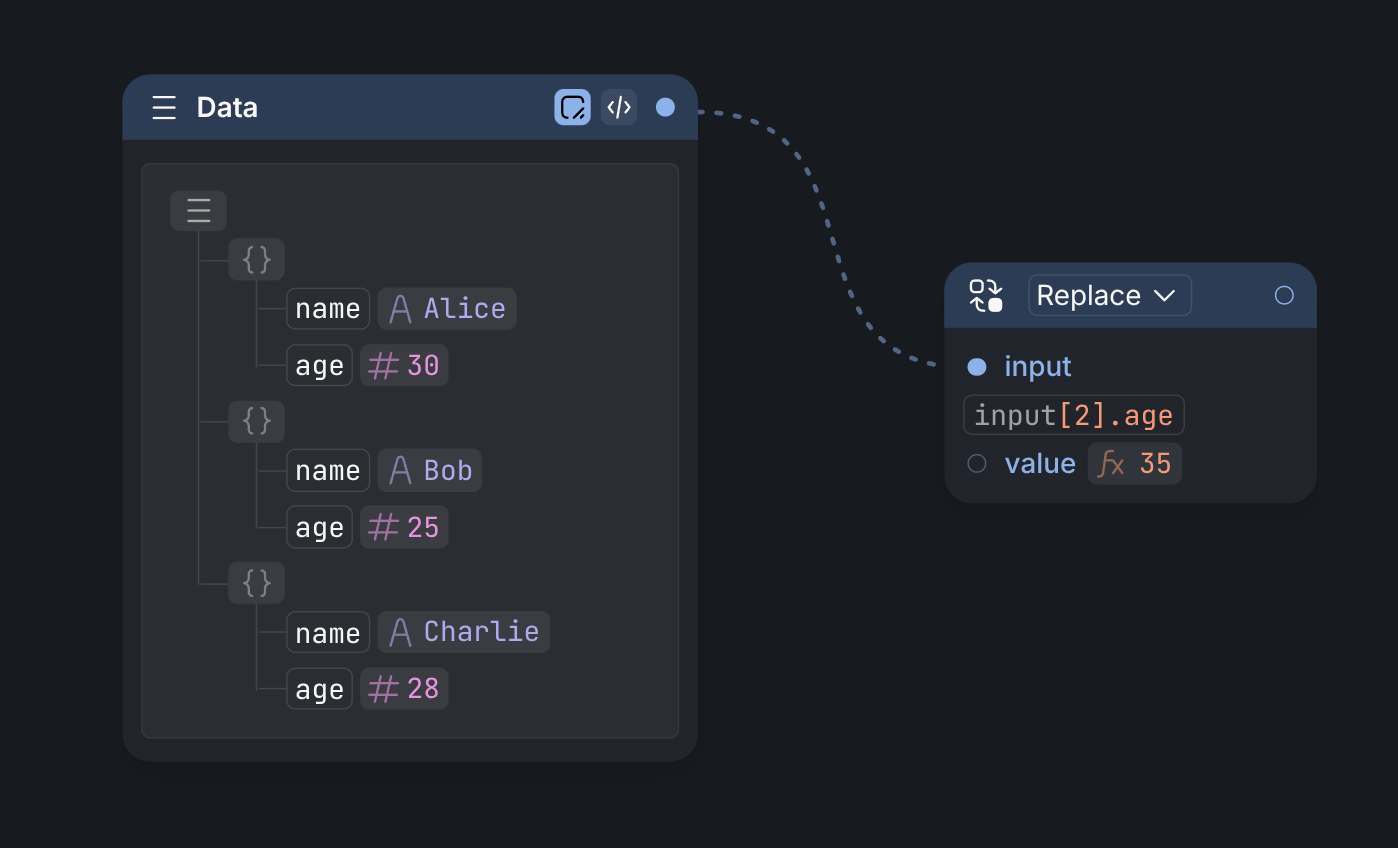
2. `Replace` replaces the original value with `value`
3. `Remove` removes item pointed to by the path expression. In this case, the `value` input is not used for anything.
## Benefits of using the Update node
The update node makes is super easy to make changes to complex objects, but an added benefit is that it does so without changing the original object, but instead returns a new one, which is a complete clone of the original input object, but with your specified update. This help prevent unintended side effects, making your flows more predictable and easier to debug.
## Path expressions
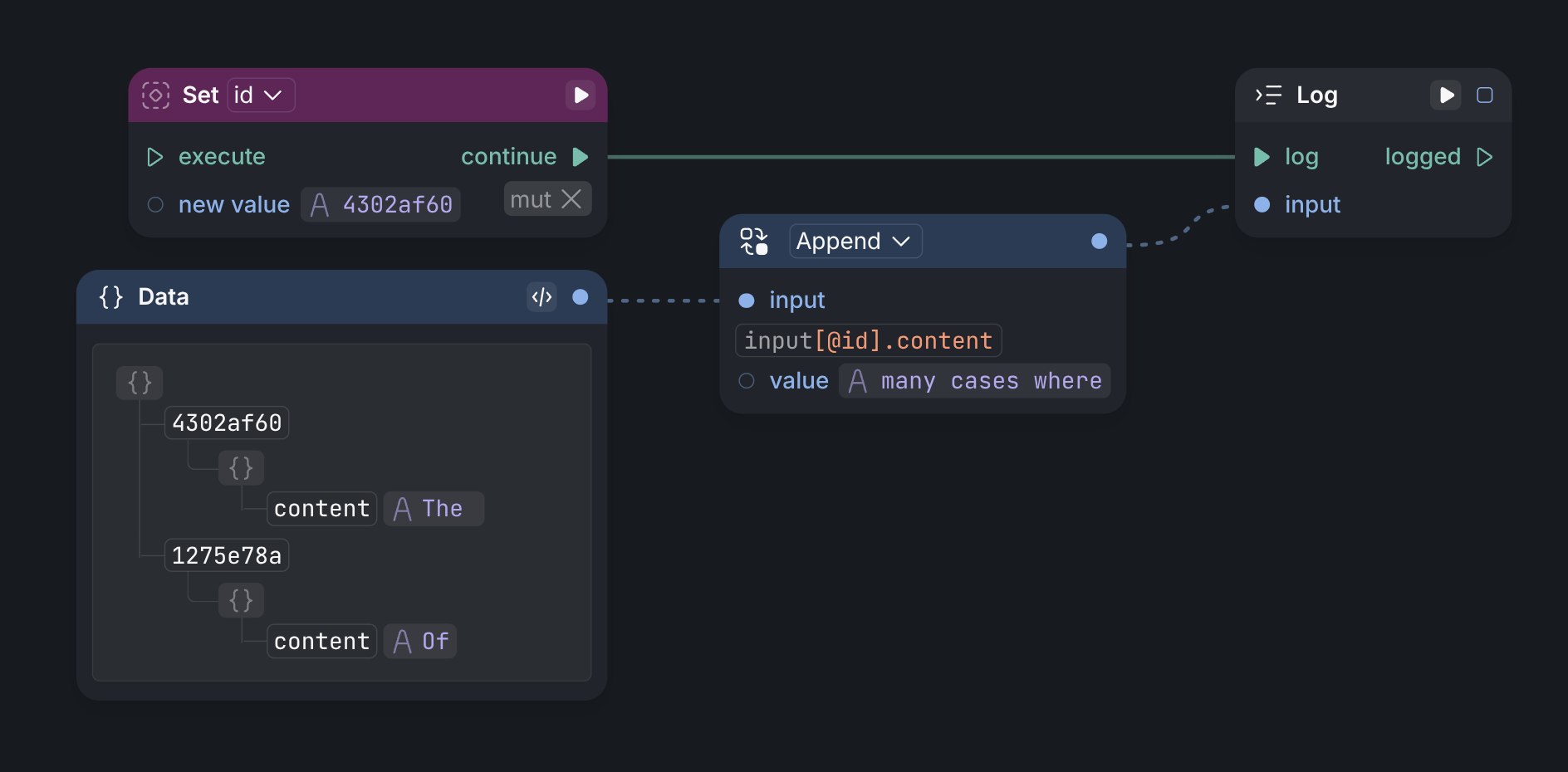
Path expressions describe accessors for parts of complex objects. The `.` operator is used to access fields of objects, while the index operator `[]` is used to access items in lists or characters in strings. Path expressions also support expressions in the indexer position, which can be used to calculate offsets or retrieve values based on inputs or variables. Here are some examples.
### Change the age field of the third user item
### Append a token to the content field of object described by an id
### More valid path expressions
* `input[a + b].foo` - using inputs (`a` and `b`) in the path expression gives additional inputs to the update node that you can connect to
* `input` - leaving just the input part just returns the existing object
* `input["hello"]` - the hello field of an object like `{ hello: "there" }`